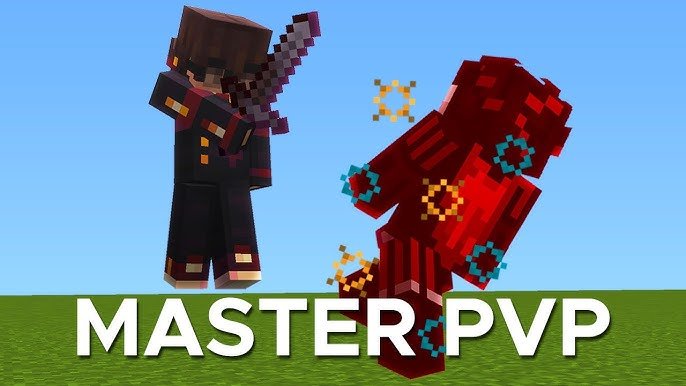
Minecraft is more than just a sandbox game—it’s a place where creativity meets strategy, exploration, and competition. Among its countless player-created experiences, BattleSquare stands out as an exciting PvP-focused mini-game that challenges both skill and strategy. BattleSquare isn’t a built-in Minecraft mode; it’s a community-driven concept that transforms your Minecraft world into a competitive arena where players face off in fast-paced, square-shaped battle zones.
These arenas can be played solo, in teams, or in survival-style combat, giving every match a unique feel. Whether you’re a seasoned Minecraft player looking to sharpen your PvP skills or a newcomer seeking a thrilling twist on the classic game, mastering BattleSquare requires understanding arena layouts, combat mechanics, and strategic gameplay. This guide will teach you how to play, equip, and dominate BattleSquare battles while offering tips, advanced techniques, and ways to create your own custom arenas for endless fun.
What Is BattleSquare?
BattleSquare is a player-created Minecraft PvP mini-game where the objective is to defeat opponents in specially designed arenas. These arenas often have square layouts, obstacles, and elevated platforms that test both combat and movement skills. BattleSquare can be played solo, in teams, or as a survival challenge, making it a versatile experience for competitive and casual players alike. Players can fight using swords, bows, armor, and sometimes special custom items, depending on the map or server rules. The game emphasizes quick decision-making, tactical movement, and mastery of Minecraft’s combat system, making it an exciting alternative to standard gameplay modes.
Core Concepts of BattleSquare
Arena Combat
The heart of BattleSquare is arena combat. Players enter a confined space where the goal is to outlast or eliminate others. Arenas are designed to encourage strategic use of terrain, including high ground, cover, and obstacles.
Game Modes
- Free-for-All: Every player fights independently.
- Team Battles: Teams compete to eliminate the opposing side.
- Survival Mode: Players survive against waves of enemies or other players.
Skills Required
Success in BattleSquare requires good reflexes, positioning, timing, and understanding Minecraft’s combat mechanics. Players need to adapt quickly to changing environments and enemy strategies.
Step-by-Step Guide to Playing BattleSquare
1. Choose Your Platform
- Java Edition: Ideal for custom map downloads and server play.
- Bedrock Edition: Supports .mcworld maps with PvP arenas.
Ensure your Minecraft version matches the map requirements for smooth gameplay.
2. Install or Join a Map/Server
Option A – Custom Map:
- Download a BattleSquare map from a trusted source.
- Place it in your Minecraft saves folder.
- Launch Minecraft and open the world.
- Enable PvP in the world settings.
Option B – Server Play:
- Join a server hosting BattleSquare arenas.
- Connect using the server’s IP.
- Enter the lobby and select the arena or game mode.
3. Prepare Your Gear
Depending on the map or server rules:
- Select swords, bows, shields, and armor.
- Collect items provided in the arena.
- Upgrade weapons or armor if allowed.
4. Learn Battle Strategies
- Stay mobile: Avoid being an easy target.
- Use terrain: High ground and cover give advantages.
- Time attacks: Know when to strike and block.
- Coordinate with teammates: Support is essential in team modes.
Advanced BattleSquare PvP Techniques
Strafing and Blocking
Moving side-to-side while attacking makes it harder for opponents to land hits. Combine with shield blocks to reduce damage.
Hit Timing and Knockback
Strike just as your opponent moves to control knockback, allowing you to push enemies off platforms or gain positional advantage.
Environmental Advantage
Use obstacles, ledges, or traps to your advantage. Knock opponents into hazards or restrict their movement to secure victories.
Customizing Your BattleSquare Experience
Players can tweak arenas to create personalized BattleSquare experiences:
- Narrow corridors encourage close combat.
- Open spaces favor ranged weapons.
- Parkour elements add movement challenges to fights.
Custom arenas can be designed using Minecraft’s build tools or map editors, allowing endless gameplay variations.
Tips for Success in BattleSquare
- Practice PvP regularly: Improves reflexes and timing.
- Study arena layouts: Know shortcuts, high ground, and trap areas.
- Learn opponent behavior: Adapt to different fighting styles.
- Use both weapons and movement: Effective attacks require skillful positioning.
- Experiment with modes: Free-for-All and team matches require different strategies.
Benefits of Playing BattleSquare
- Enhances combat and tactical skills.
- Encourages teamwork and communication.
- Introduces new challenges with custom arenas.
- Provides endless replay value with varied matches.
- Strengthens problem-solving and strategic thinking in Minecraft’s sandbox world.
Read More: Mastering TechView on TheGameArchives: Your Complete Guide
Conclusion
Minecraft BattleSquare offers players an exciting twist on traditional gameplay, turning blocky landscapes into competitive arenas filled with strategy, combat, and fun. Although not an official Minecraft mode, it is a popular community-created experience that enhances PvP skills, teamwork, and creativity. Playing BattleSquare involves mastering arena combat, learning advanced techniques, and adapting strategies based on the map layout and opponents’ behavior.
Players can enjoy solo, team, or survival modes, making every match unique and engaging. Additionally, customizing arenas and experimenting with different game modes allows endless entertainment and challenges. Whether you aim to dominate online servers or create your own BattleSquare maps, this mini-game provides an opportunity to improve your reflexes, strategic thinking, and understanding of Minecraft’s combat mechanics. By practicing regularly and employing smart tactics, you can become a top BattleSquare player, making every battle an exciting and rewarding experience in your Minecraft world.
FAQs
1. What is Minecraft BattleSquare?
It is a community-created PvP mini-game where players fight in square-shaped arenas.
2. How do I install a BattleSquare map?
Download the map, place it in your Minecraft saves folder, and open it with PvP enabled.
3. Can I play BattleSquare with friends?
Yes, by joining the same server or world and entering the arena together.
4. What Minecraft version is best for BattleSquare?
Most maps work on recent versions like 1.19 or 1.20+, but check compatibility with the map.
5. Do I need mods to play BattleSquare?
No. Many maps work in vanilla Minecraft, though some servers use plugins to enhance gameplay.